sub.space
[ kittie dtp ]
0.1.1 · experimental
What you see on screen is what comes out of the printer.
Kittie DTP is a desktop publishing app for newsletters, flyers, brochures, booklets and cards. Lay out pages with text and picture frames, set type in any script, and export a print-ready PDF. It covers the everyday 90% of Microsoft Publisher, opens your old .pub files, and runs on macOS, Windows and Linux.
macOS build for Apple silicon; Windows build for x64. SHA-256 checksums.
layout
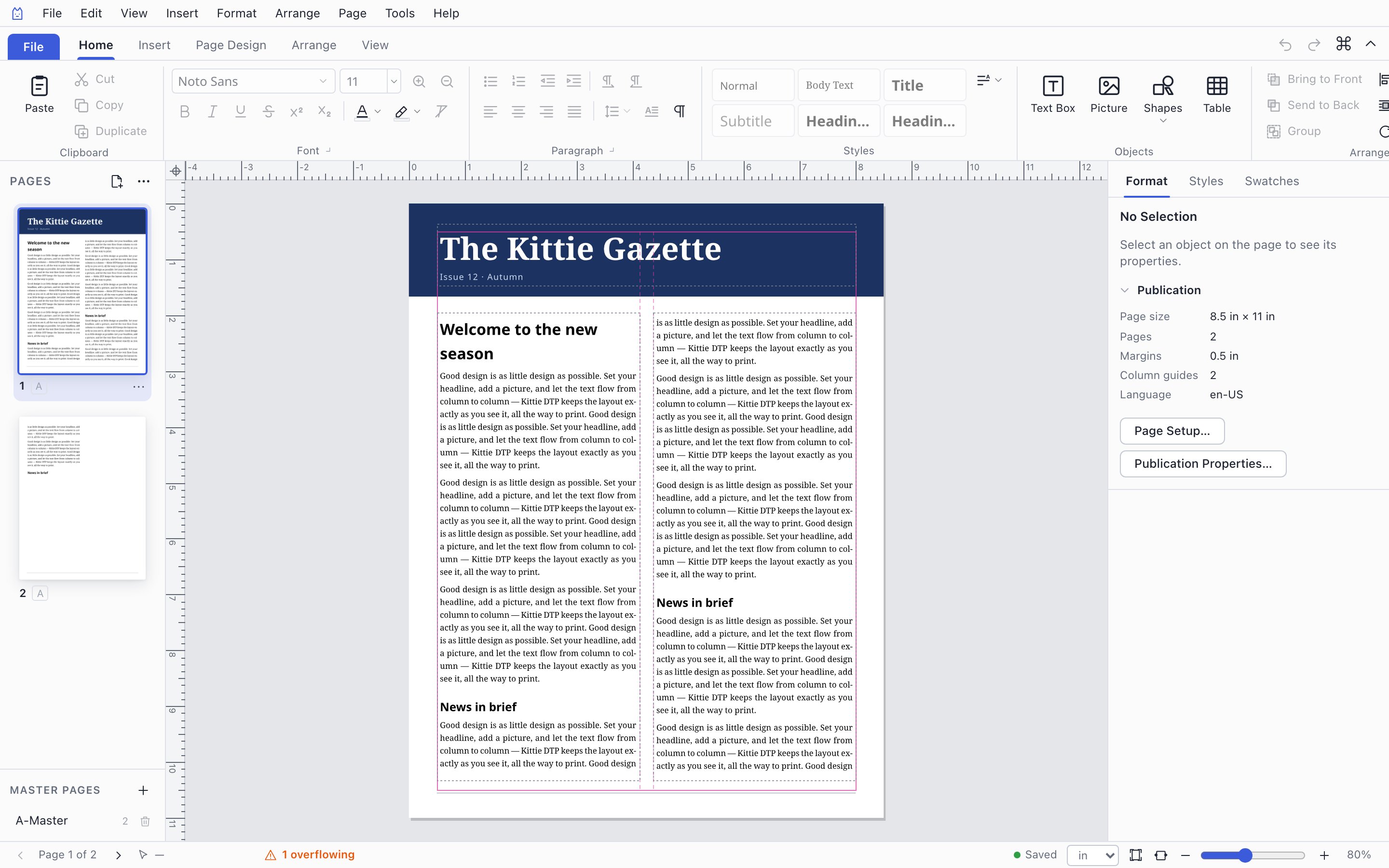
Text, picture, shape and table frames on pages with margins, columns, guides and bleed. Master pages carry headers and page numbers. Stories flow from frame to frame and page to page, and text wraps around pictures. Start from a flyer, brochure, newsletter, poster, greeting card or business card template.
typesetting
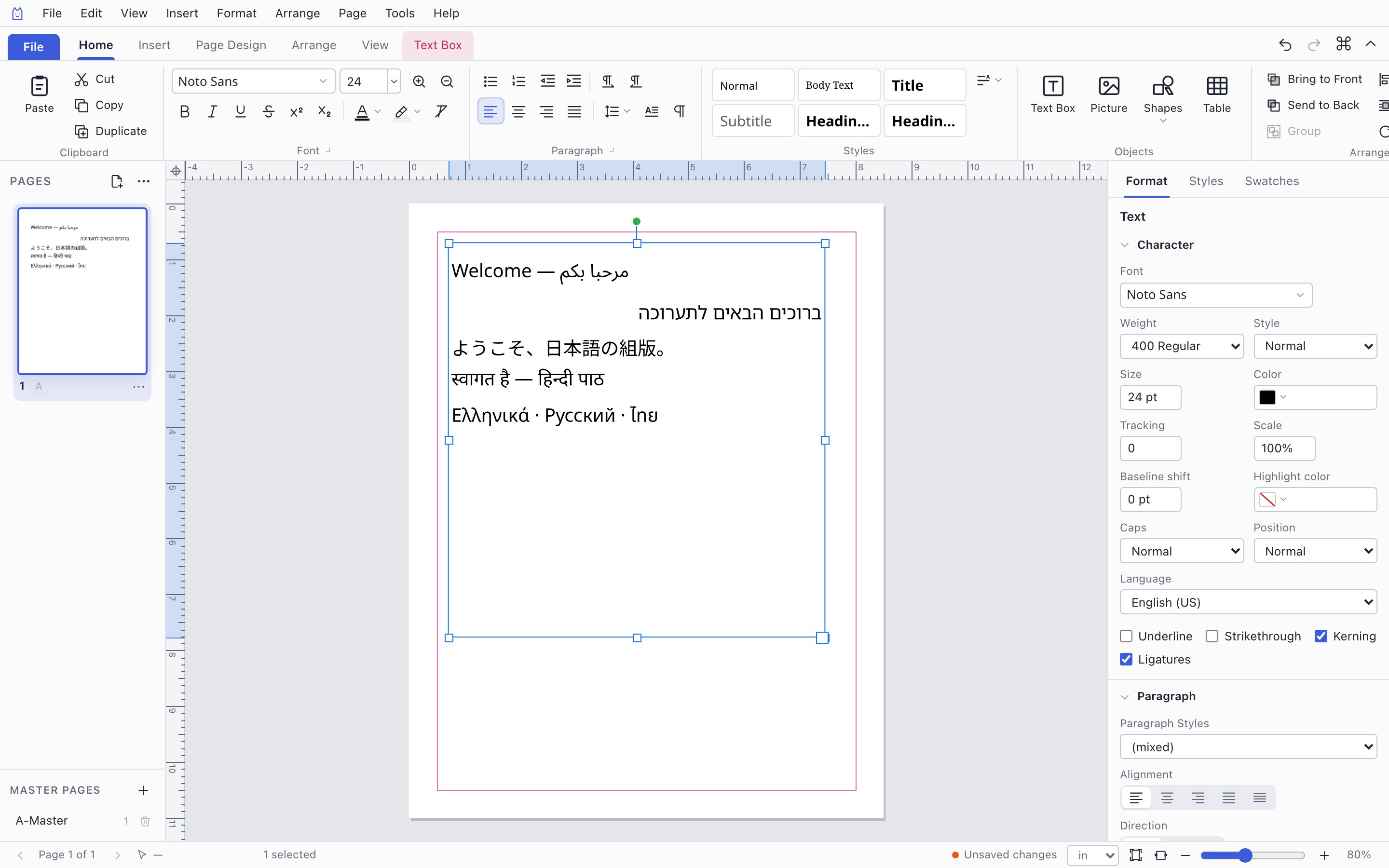
Kittie lays out every line itself with HarfBuzz shaping and a Knuth–Plass paragraph composer, with hyphenation and widow and orphan control. Arabic and Hebrew run right to left; Japanese, Devanagari and Thai break correctly. Paragraph and character styles keep a document consistent.
The PDF uses the same glyph positions as the screen, so line and page breaks match exactly. Fonts are embedded and the text stays searchable. CMYK colours stay CMYK, and the PDF can carry bleed, trim and crop marks. Booklets export as printer spreads. Pages also export as SVG and PNG.
any script
Type in any language, mix them in one paragraph, and use your system's input methods for Chinese, Japanese, Korean and Indic scripts. When a font lacks a character, Kittie falls back to the bundled Noto families instead of drawing boxes.
The app draws text the same way on every platform, so a document looks identical on a Mac, a Windows PC and a Linux box.
bring your work
File › Open reads Microsoft Publisher .pub files: pages, master pages, text, styles and pictures. An import report lists anything that was approximated or left behind, with links to the pages concerned. Metric-compatible stand-ins for the common Office fonts are bundled, so imported text keeps its line breaks without the original fonts.
Place pictures, SVG artwork as editable vectors, and text from Word, Markdown, HTML and plain-text files.
experimental means
- The builds are not signed. On macOS, right-click Kittie DTP in Applications and choose Open the first time. On Windows, choose More info then Run anyway if SmartScreen stops the installer.
- No Intel Mac or Windows on Arm build yet.
- Publisher import gets structure right, but complex publications can still lay out differently from the original. Check the import report and the pages it links to.